OBIEE – Clear Cache -SAPurgeAllCache()
Warning !!!!
What follows is technical (geeky) and should be approached only by those personnel wearing appropriate safety equipment!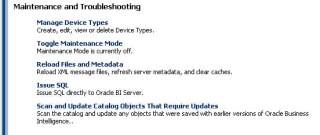


What follows is technical (geeky) and should be approached only by those personnel wearing appropriate safety equipment!
One command to remember
Call SAPurgeAllCache()
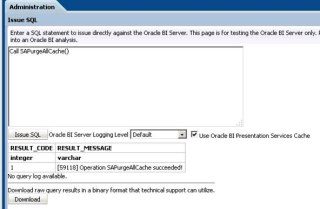
Login to dashboards as normal, and go to Administration and then Issue SQL

In the box that appears input the command from above.
Call SAPurgeAllCache()

Click Issue SQL
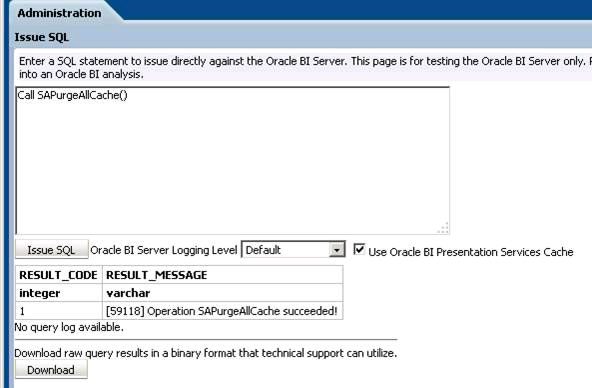
Server Cache cleared! I’ll leave you to clear the browser cache.
Here’s what the server cache looks like.

You can also clear the cache of specific databases.
Call SAPurgeCacheByDatabase( ‘MYDB’ );
Will clear just the MYDB database cache i.e. the OBIEE physical database in the right column.
There are other similar commands to clear specific tables / queries. That I’ll leave to you.
 Society of cardiac nurses membership form